Frontend Display
Enable frontend transition loading

Shows a cute turtle loading image while the page is loading. This smooths over slow image loading or poor network conditions.
Use smooth scrolling
Smooth scrolling is implemented with Lenis. If you need a comparison, think of the smooth scrolling in Edge's PDF reader.
Allow search engine indexing
As the name says, this is enabled by default.
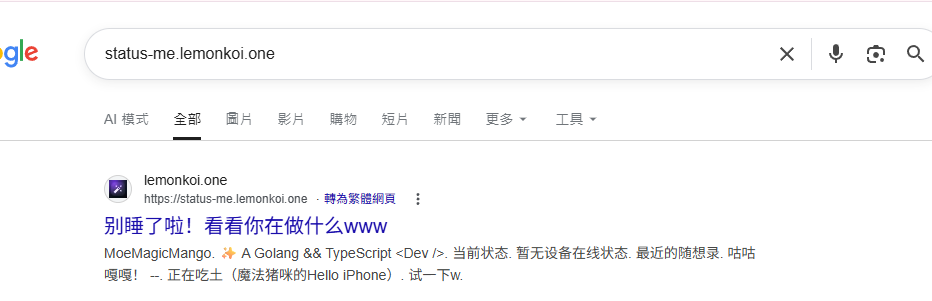
Turning it off blocks search engine indexing, assuming the crawler respects robots rules.
Enable note typewriter effect
When enabled, the note area slowly outputs content with a stream-like effect similar to ChatGPT.
Enable Hitokoto
When enabled, the note is replaced with a line from v1.hitokoto.cn.
Use signature font for the user note

When enabled, the note uses a signature-style font. This only supports English.
Override signature font
Use this to replace the default font if you do not like it. Currently only Google-hosted fonts are supported.
Public page font options

The default font pairing is Noto Sans SC + Ubuntu.
If you want to change the available fonts, enable custom public fonts and choose the font you need.
Background images
This is usually visible when the theme is set to custom.
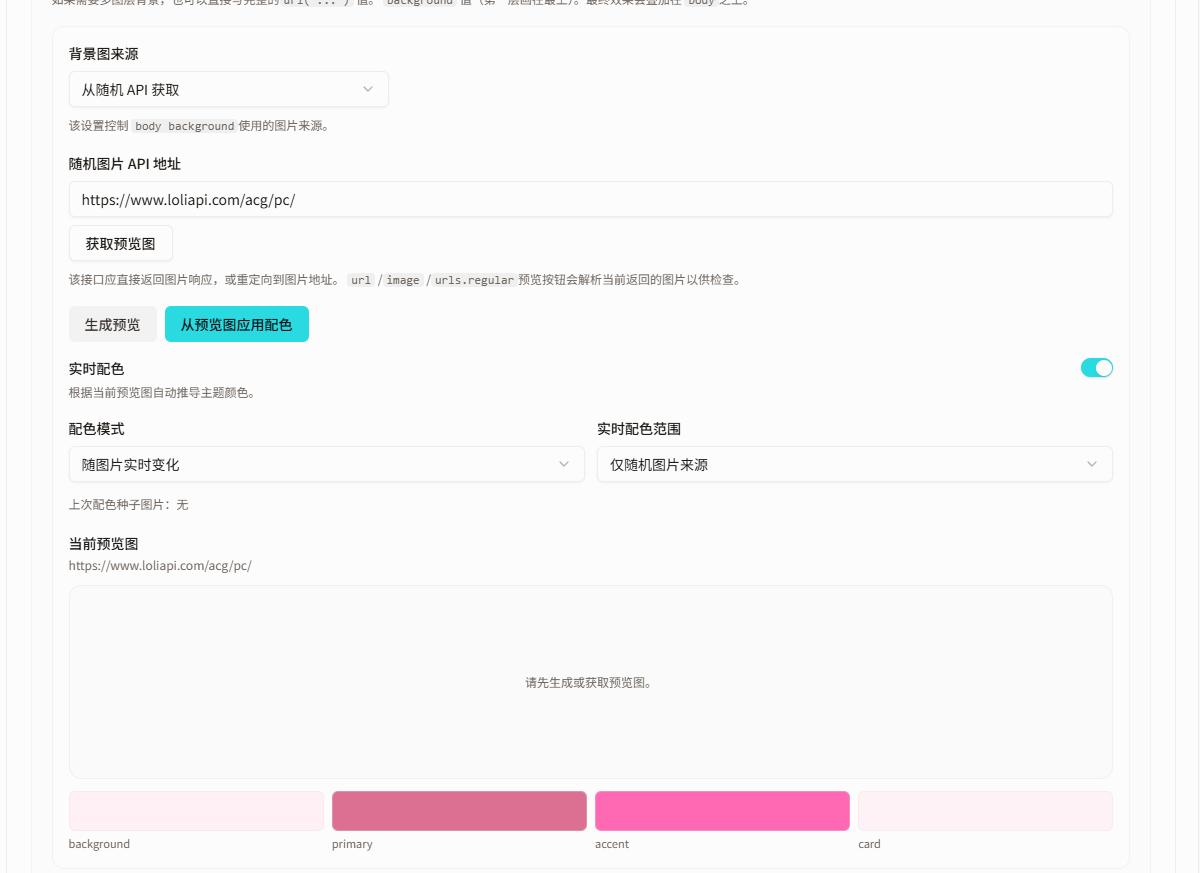
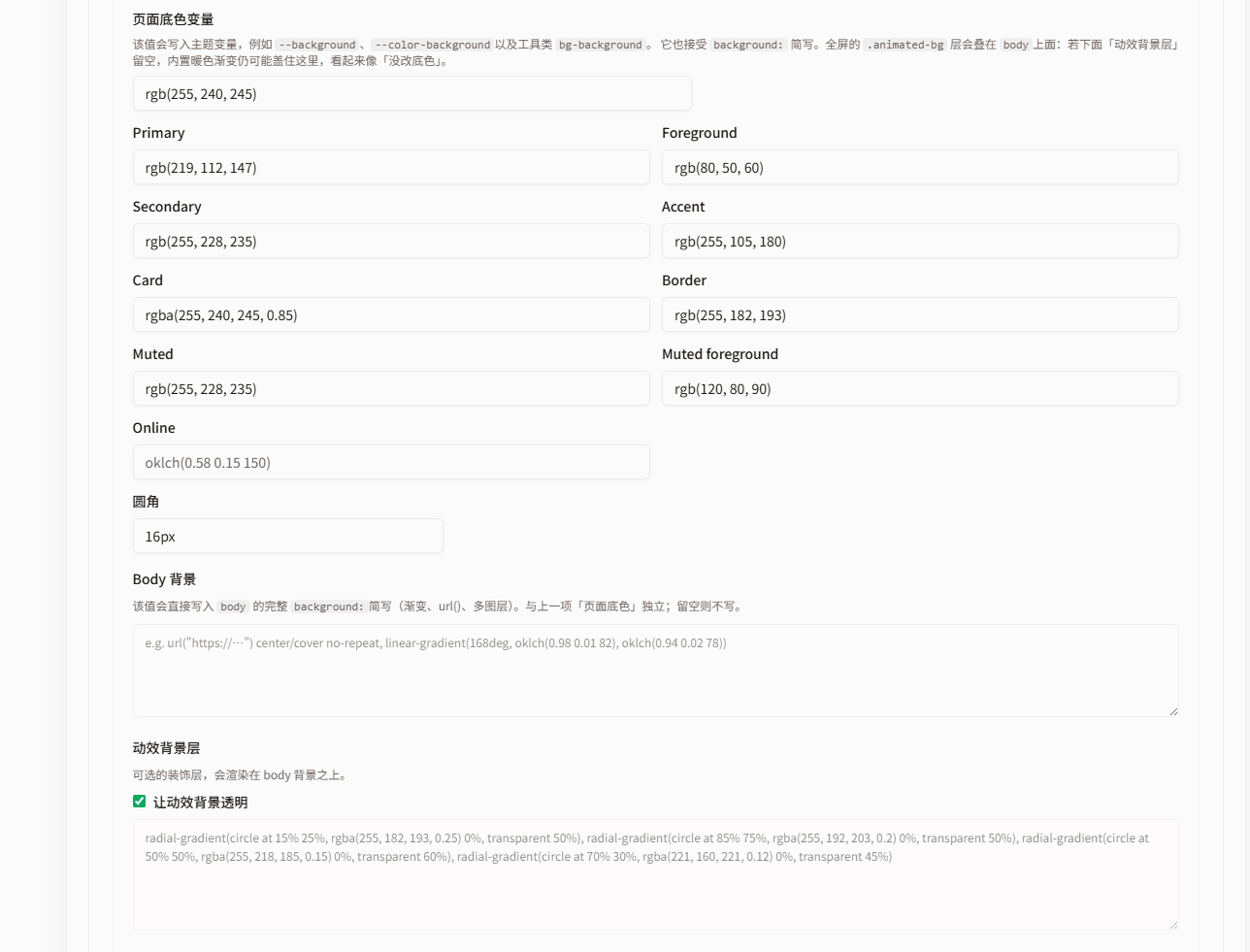
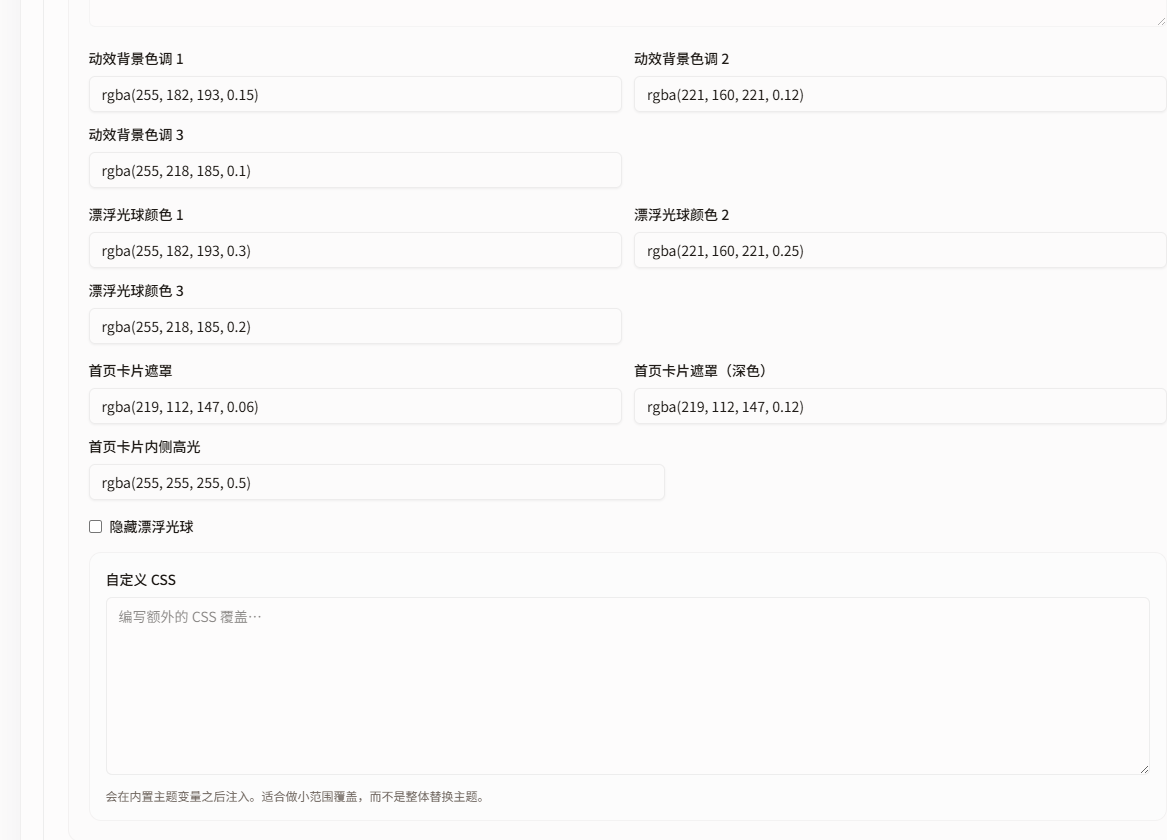
This section controls the public page background image, base color variables, and animated background effects.
If you only want a background image, start with "Background image source". If you want the page colors to follow the image, focus on "Base color variables" and "Live color extraction". If you want to adjust the dynamic atmosphere layer, use "Animated background".
Background image source
The background image source decides which image source is used for the public page body background.
Supported modes include:
- No background image
- Use a fixed image
- Randomly select from an image pool
- Fetch from a random API
If you choose "Fetch from a random API", enter an endpoint that can return an image.
Example:
The endpoint can return an image response directly or redirect to an image URL. Some JSON responses can also be parsed, for example:
url
image
urls.regular
After clicking "Get preview image", the system tries to request the current API and parse the actual image to confirm whether the endpoint works.
Base color variables
Base color variables control the public page's base colors. These colors affect the page background, cards, buttons, accent color, and other core visual elements.
Common variables include:
background: page background color
primary: main color, often used by buttons and important elements
accent: accent color
card: card or panel background color
foreground: primary text color
muted: muted area color
mutedForeground: muted text color
border: border color
If "Live color extraction" is enabled, the system can derive these colors from the current preview image. For example, a pink-ish background image may produce softer page colors and accents; a blue image may create a cooler overall palette.
You can click "Generate preview" or "Get preview image" first, confirm the image displays correctly, then click "Apply colors from preview image".
Live color extraction
Live color extraction lets the theme colors follow the current background image automatically.
Related options include:
- Live color extraction: whether automatic color derivation is enabled
- Color mode: whether colors are fixed manually or change with the image
- Live color scope: which background image sources trigger live colors
If you choose "Change live with image", the public page dynamically generates colors based on the current background image. If you choose "Only random image sources", only random image pools or random API sources trigger live color extraction.
This is useful for random background images, because it prevents the page palette from clashing with the new image.
Animated background
The animated background is a dynamic visual layer behind the page. It is not necessarily an image; it behaves more like gradients, glows, flowing color blocks, or atmospheric animation.
Common variables include:
animatedBg: main animated background color
animatedBgTint1: animated background secondary color 1
animatedBgTint2: animated background secondary color 2
animatedBgTint3: animated background secondary color 3
transparentAnimatedBg: whether the animated background is transparent and overlaid
hideFloatingOrbs: whether floating orbs are hidden
floatingOrbColor1: floating orb color 1
floatingOrbColor2: floating orb color 2
floatingOrbColor3: floating orb color 3
In short:
Base color variables decide the page's core colors.
The background image decides the bottom-most visual content.
The animated background decides whether a flowing, glowing, atmospheric layer appears above the background.
Live color extraction can make base color variables follow the background image.
If you want a clean and stable page, reduce or disable the animated background.
If you want a stronger atmosphere, adjust the animated background colors.