🗓️ Schedule
- The schedule design is similar to Wakeup. If you have used similar timetable apps before, this should feel familiar.
Homepage display
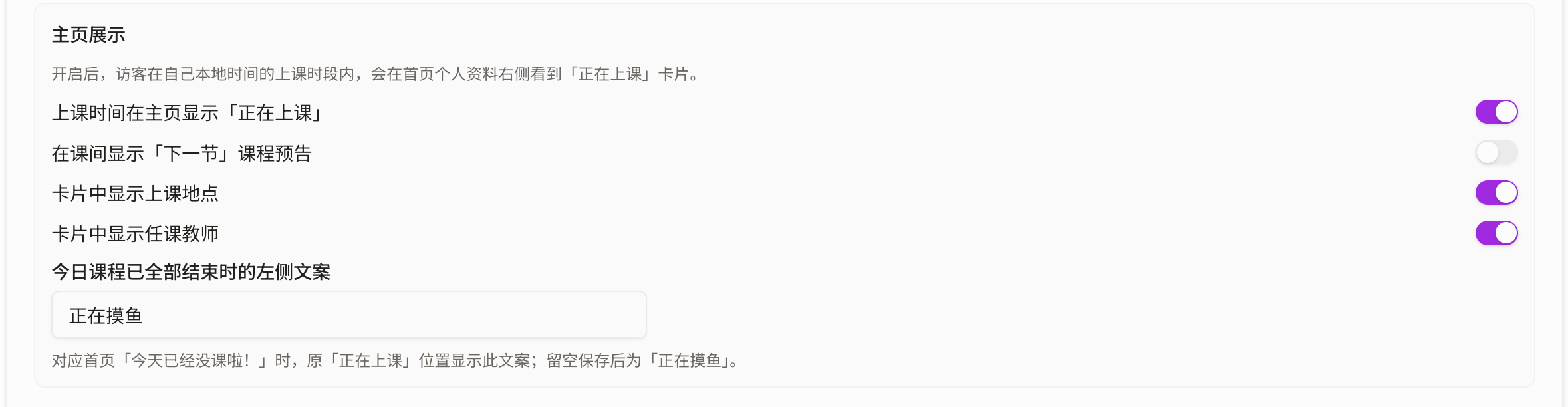
- During class hours, the homepage shows "In class":
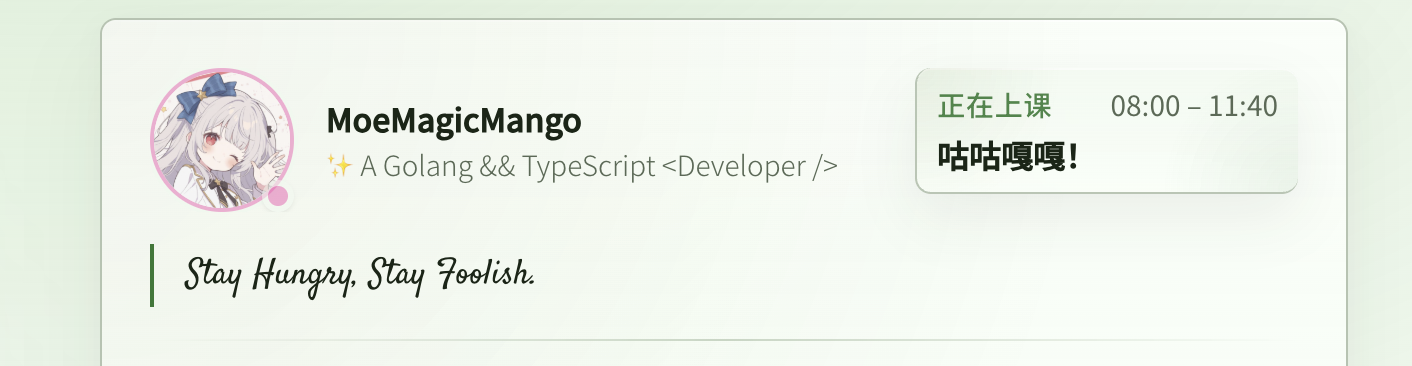
- Between classes, it shows a "Next class" preview:
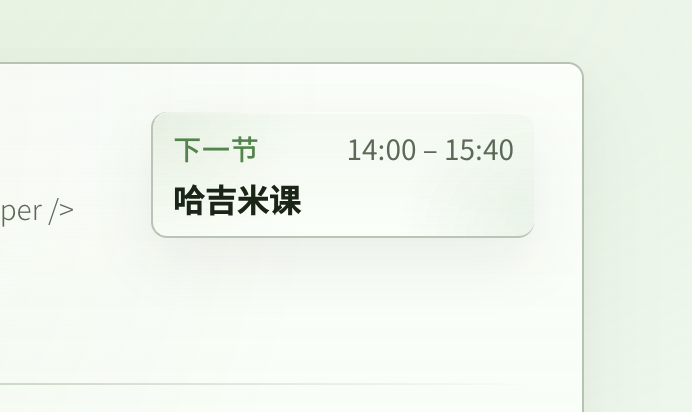
If this is disabled, nothing will be shown here when there is no class.
- Show classroom and teacher in the card

When enabled, extra content appears only on hover on desktop or tap on mobile.
The preview does not tell you the classroom or teacher for the next class.
- Left-side text when all classes for today are finished:

The displayed text here is "slacking off".
Fixed period template
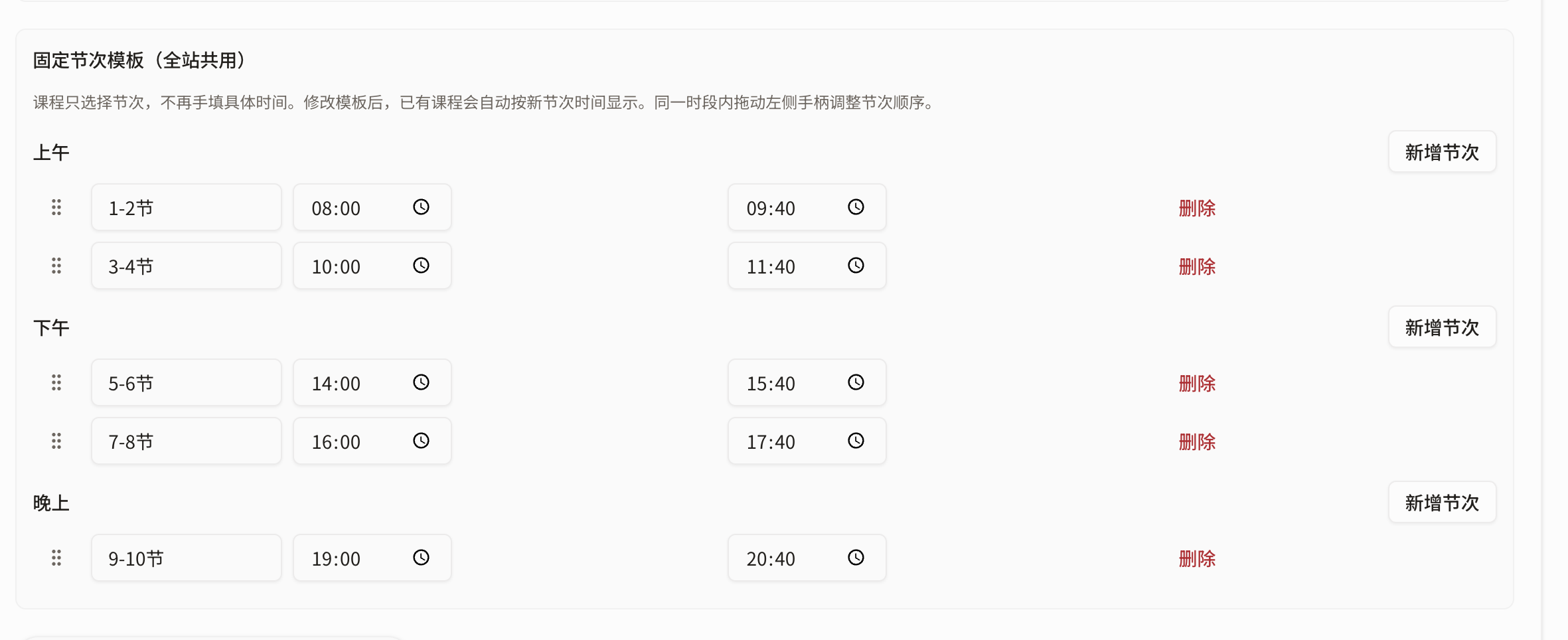
Some schools have odd course schedules or inconsistent rules, so you can set up a rough template here and quickly pick periods later when importing.
This part includes automatic checks. If your selected class times do not match, usually during import, the system will prompt you to fix the ordering.
Course list
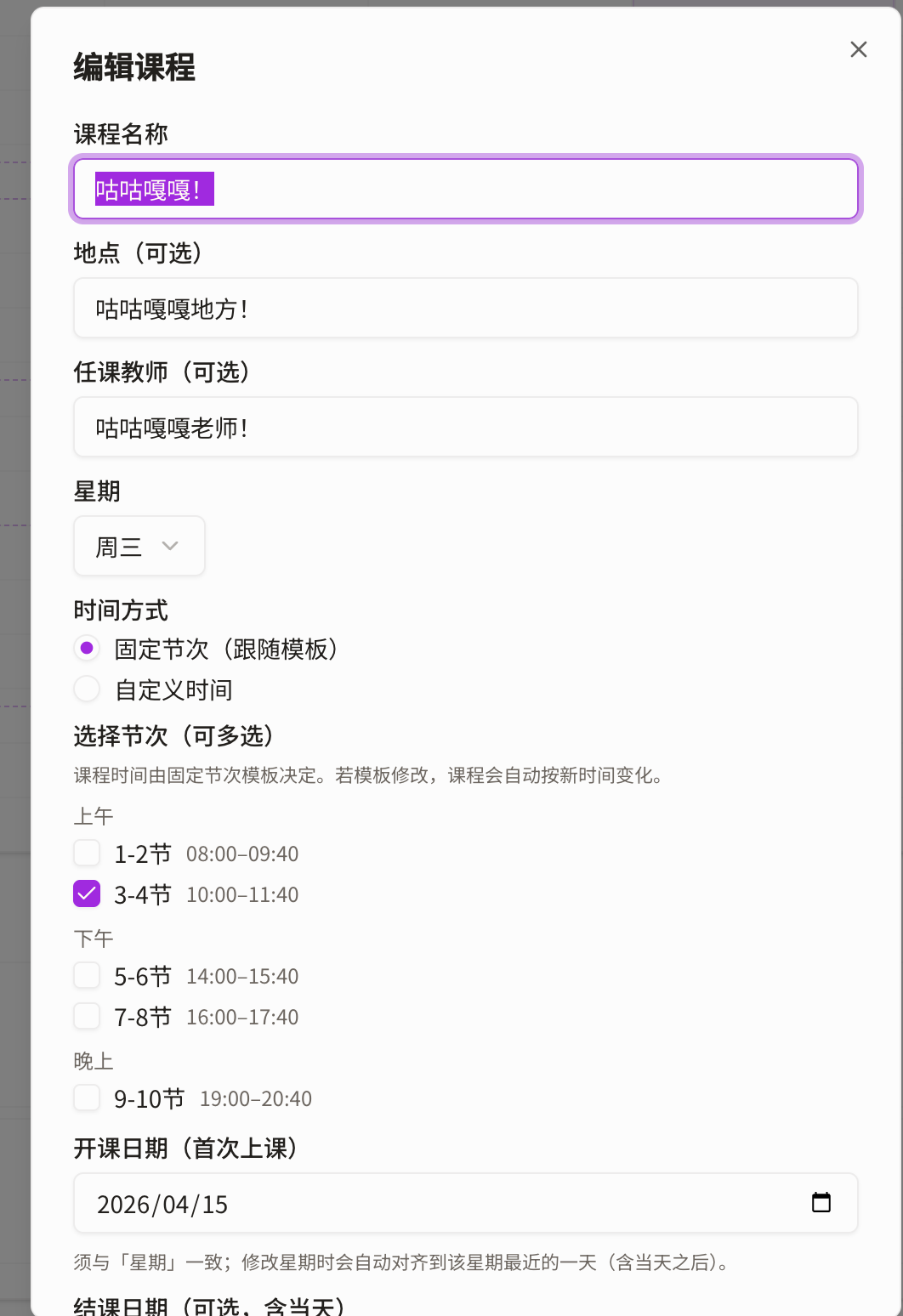
In most cases, you can add multiple course entries to handle classes that happen more than once a week.
If a course has unusual timing, such as taking up lunch break, use "Custom time" to handle it.
Importing
ICS timetables are supported, and most timetable apps can export them.